Reference · Controls
Arctic Drive controls and settings: what is confirmed
A verified list of Arctic Drive controls and settings, including cargo placement, zoom, pause, voice chat, imperial units and controller support.
 WP 09
Waypoints / 7 sections
The full Arctic Drive keybind list has not been published. The game is pre-launch, the demo has its own settings menu, and the developer has changed controls during playtests. This page only lists inputs we can confirm from patch notes or official screenshots — no invented bindings.
If you are playing the demo, the in-game settings menu is the authority. If a binding here does not match your build, trust the game and let us know so we can correct the page.
Confirmed inputs at a glance
| Input | Action | Context | Source |
|---|---|---|---|
| G | Place an item into cargo | Aim at the cargo space and press G | Closed-beta recap |
| G | Drop an item | Standard item control | Closed-beta recap |
| Hold G | Charge a throw; release to throw | Item control | Closed-beta recap |
| Escape | Pause | Solo only | Closed-beta recap |
| Right mouse | Zoom | Driving or riding as a passenger | Patch v0.13.3 |
| Push-to-talk | Voice chat | Voice activation is on by default; push-to-talk is an option | Closed-beta recap |
| Crouch toggle | Toggle crouch | Setting added in v0.13.3 | Patch v0.13.3 |
Cargo and item controls
The closed-beta recap is the clearest public source on item interaction:
- Aim and press G to place an item into cargo.
- Press G to drop an item.
- Hold G to charge a throw, then release to throw.
- Improved tooltips were added in the same update; use them. They show more than the item name.
Because every object is physical, the cargo interaction is not cosmetic. A wrongly placed item can fall out, block a seat or become a projectile in a crash. If an item will not go into cargo, check the angle and the container; the game may be telling you it does not fit.
Driving controls
The confirmed driving-related inputs are limited:
- Right mouse — zoom while driving or riding as a passenger (added in v0.13.3).
- Third-person camera — added in v0.13.3 and improved later. A useful toggle for trailer work.
- Horn — the pickup truck has one; the developer’s patch note is “Meep meep!”
- Imperial units toggle — added in v0.13.3 for players who prefer miles.
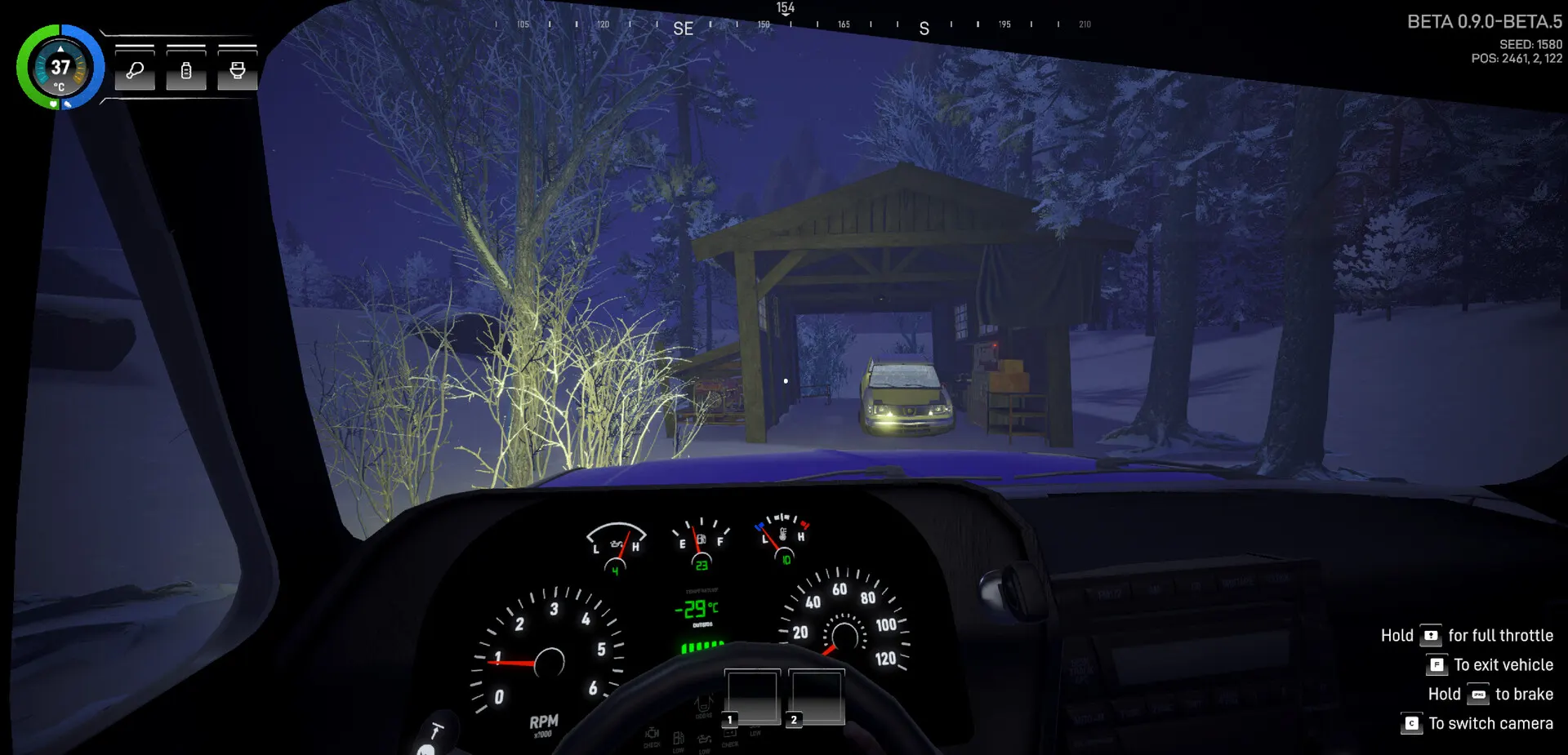
The screenshots also show a dashboard with speed, fuel and temperature. The exact key for the handbrake, lights, wipers and horn is not published in a single official table. The demo’s control settings are the best place to confirm them.
Voice chat
Proximity voice chat was added in the closed beta. Voice activation is enabled by default, and push-to-talk is available. The developer says voice can be disabled in settings.
Because it is proximity voice, distance matters. A teammate on the other side of a building may not hear you. Agree on a fallback (text chat, a flare, a meeting point) before you split up.
Confirmed settings
- Imperial units toggle — miles instead of kilometers.
- Crouch toggle — added in v0.13.3.
- Third-person camera controls — added in v0.13.3.
- Voice activation / push-to-talk — voice settings.
- Exposed atmosphere graphics settings — added in demo v0.19.2.
- Texture streaming, GPU instancing and optimized assets — performance work, not a user-facing toggle list.
- Refresh-rate consistency fixes — demo v0.19.2.
We do not have a full graphics-menu screenshot, so we cannot list every quality option. If your machine is near the minimum spec, start with the atmosphere settings and texture streaming, then adjust resolution and shadows.
Controller and wheel support
Steam currently lists partial controller support. The developer added and improved controller support during the open beta, but “partial” means you should not assume every menu and interaction works from a pad.
Wheel support is listed for the Early Access milestone on the official roadmap. No supported wheel list, force-feedback details or configuration guide has been published. Do not buy a wheel for Arctic Drive until the developer confirms support for your model.
Full keybind status
We will publish a complete keybind table after launch, built from the live settings menu and tested for conflicts. Until then:
- Use the in-game settings menu in the demo.
- Check the tooltip for the action you are trying to perform.
- If a binding is missing from this page, it is because we could not verify it — not because we forgot.
Sources & verification
Checked November 7, 2026We link to the primary source for each factual claim. Store pages and developer announcements can change after publication; the access date records what we saw.
- 01Arctic Drive on Steam
Valve / Bonus Stage Publishing · Official store page
Release date, features, Early Access statement, system requirements, languages, categories and screenshots.
- 02The beta is ending, here's what has been added into the game!
Pebbles Games / PlayTogether Studio · June 18, 2026 · Developer announcement
Save/load, crafting overhaul, Organic resource, Abandoned Factory, proximity voice chat, damage and cargo systems.
- 037 updates in 3 days?! What was added?
Pebbles Games / PlayTogether Studio · September 3, 2026 · Developer announcement
25 km maximum travel distance, right-click zoom, Reno and Buck Warden handling, Buck Warden 4WD, imperial units.
- 04Arctic Drive is in the Top 50 of most-played demos last Next Fest + v0.19.2!
Pebbles Games / PlayTogether Studio · October 27, 2026 · Developer announcement
Demo v0.19.2 additions and fixes, including revival kits for 2–4 player groups.
- 05New DEMO patch v0.18.0 is live!
Pebbles Games / PlayTogether Studio · October 10, 2026 · Developer announcement
- 06Update 0.9.4 drops for playtesting!
Pebbles Games / PlayTogether Studio · July 11, 2026 · Developer announcement
Research Station and blueprints, six crafting categories, N100-2S, snow overhaul, water cooler.
Found a source that has changed or an error? Send a correction.
Spotted something out of date? The correction route is always open.
Send a correction